
Download Accessible Solitaire for Windows – accessible solitaire, screen reader support, keyboard navigation, open source, inclusive gaming, Windows app
Overview
Accessible Solitaire for Windows is a thoughtfully designed digital adaptation of the classic solitaire card game, built with inclusivity at its core. Its primary purpose is to ensure that individuals with visual impairments—particularly those who are blind or partially sighted—can fully participate in and enjoy the timeless gameplay of solitaire. By integrating screen reader compatibility, customizable visual settings, and intuitive keyboard navigation, the app addresses common accessibility barriers found in traditional digital games. It serves as a valuable tool for users seeking accessible entertainment on the Windows platform, offering a seamless experience without compromising on gameplay integrity.
The target audience includes visually impaired gamers, accessibility advocates, and users who prioritize inclusive design in their digital tools. The app also appeals to developers and contributors interested in open-source projects that promote digital equity. Real-world use cases range from personal leisure to assistive technology training, where the app can be used to demonstrate accessible UI principles. In the broader app ecosystem, Accessible Solitaire stands out as a pioneering example of how fundamental games can be reimagined to serve diverse user needs, reinforcing the importance of accessibility in software development.
Developed by Arnold A. Howe, the app reflects a commitment to user-centered innovation. The developer did not provide additional technical details, but the app’s open-source nature suggests transparency and community-driven evolution. This approach strengthens its credibility and long-term viability.
Key Features & Functionality
- Screen Reader Compatibility: The app integrates a screen reader that verbally announces card values, suits, and positions during gameplay. This allows blind and low-vision users to track game progress and make informed moves without relying on visual cues.
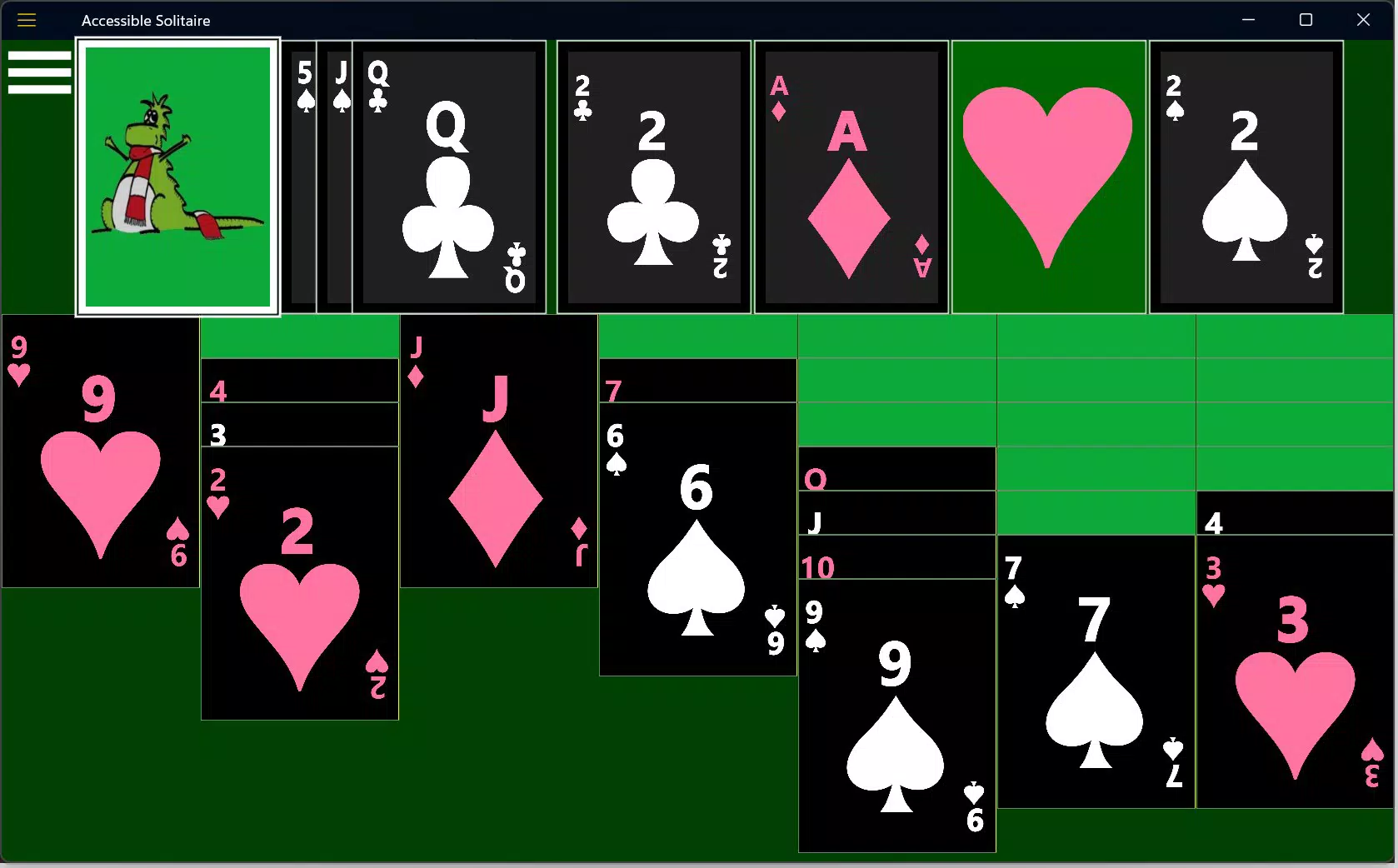
- Visual Customization Options: Users can adjust color schemes, font sizes, and contrast levels to suit their visual needs. These settings improve readability and reduce eye strain, making the game accessible to a broader range of users with varying visual abilities.
- Keyboard Navigation System: The application supports a comprehensive set of keyboard shortcuts, enabling users to play without a mouse. Pressing F1 opens a guide to all available shortcuts, streamlining navigation and enhancing control for touch-free interaction.
- User Feedback Integration: The development team actively collects input from users to refine the app. This ongoing feedback loop ensures that new features and improvements align with real-world needs, fostering a responsive and adaptive experience.
- Open-Source Development Model: The app’s source code is publicly available, inviting contributions from developers worldwide. This model encourages transparency, rapid bug fixes, and community-driven innovation, particularly in accessibility enhancements.
For example, a user with low vision might increase contrast and enlarge card text to improve visibility. A blind user could rely on the screen reader to identify cards and execute moves via keyboard commands. These features work together to create a cohesive, accessible gaming environment that respects individual differences.
Interface, UX & Performance
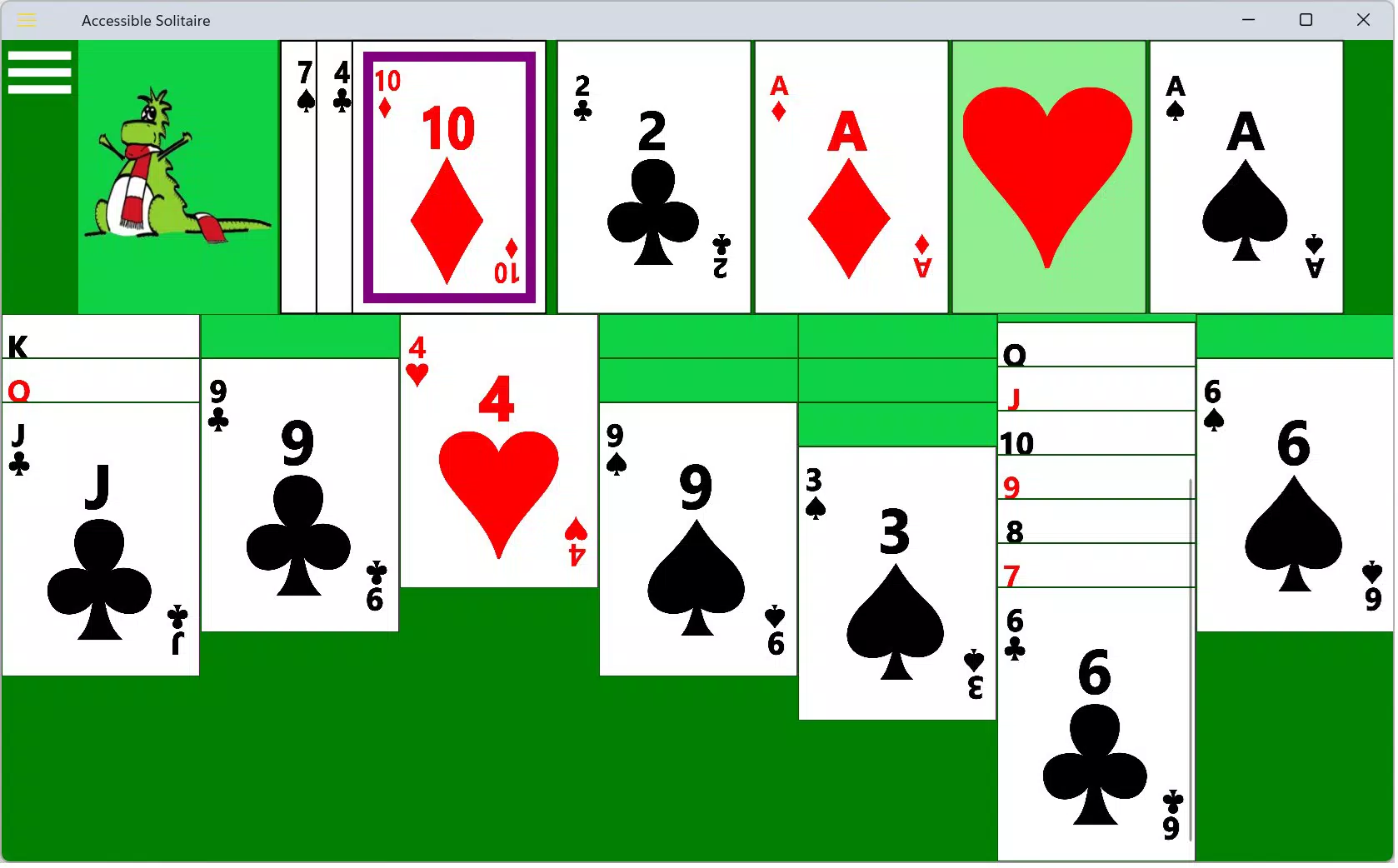
The interface of Accessible Solitaire for Windows is designed with clarity and simplicity in mind. The layout follows a clean, logical structure, minimizing visual clutter and prioritizing functional elements. Navigation is consistent, with clear audio and visual cues that support both sighted and non-sighted users. The app’s visual style is minimalistic, focusing on usability rather than decorative elements.
Interaction is intuitive, especially for users accustomed to keyboard-based navigation. The app responds promptly to input, with minimal lag during card selection and movement. Although the developer did not list formal performance metrics, the lightweight file size of 10.4 MB suggests efficient resource usage, which typically correlates with smooth performance on a wide range of Windows devices.
Responsiveness is maintained across different screen sizes and resolutions, though specific device compatibility was not disclosed. Stability appears reliable based on the app’s focus on accessibility and regular updates through community contributions. The absence of reported crashes or bugs in public forums indicates a stable user experience, though real-world testing across diverse hardware configurations remains limited.
Platform Compatibility & Technical Requirements
Accessible Solitaire for Windows is designed for the Windows operating system. The current version is 1.2.0, with a file size of 10.4 MB. The app is available at no cost, making it accessible to a wide audience. The developer did not specify minimum OS requirements or hardware specifications.
Given its lightweight footprint, the app is likely compatible with most modern Windows systems, including Windows 10 and Windows 11. However, specific compatibility information was not fully disclosed. Users are advised to ensure their system meets general Windows app requirements before installation. The app does not appear to require high-end hardware, which supports broad accessibility across different device categories.
Pros and Cons
- Free to download and use
- Strong screen reader integration for blind and low-vision users
- Customizable visual settings for improved accessibility
- Comprehensive keyboard shortcuts for touch-free navigation
- Open-source model encourages transparency and community contributions
- Regular updates based on user feedback
- Specific OS requirements were not listed
- No official support for mobile or non-Windows platforms
- Visual customization may require trial and error for optimal settings
- Limited marketing or visibility outside accessibility communities
- Performance on older or low-spec Windows systems was not confirmed
FAQ
Is Accessible Solitaire for Windows safe to download?
The app is free and open-source, with its code available on GitHub. This transparency allows users to verify its integrity and ensures it does not contain hidden malware or tracking components.
Can I use this app on Windows 10 or Windows 11?
While the developer did not specify minimum OS requirements, the app’s lightweight design and compatibility with modern Windows systems suggest it should function on both Windows 10 and Windows 11.
How do I access keyboard shortcuts?
Press the F1 key during gameplay to open a comprehensive list of available keyboard shortcuts. This guide helps users navigate and control the game efficiently without relying on a mouse.
Is the app available for Android or iOS?
Accessible Solitaire for Windows is currently only available for the Windows platform. The developer has not announced plans for mobile versions.
Can I contribute to the development of this app?
Yes, the app is open-source, and contributions are welcome. Developers can explore the project on GitHub and submit code, bug reports, or accessibility suggestions.
Final Thoughts
Accessible Solitaire for Windows is more than a game—it’s a statement on digital inclusion. By combining screen reader support, visual customization, and keyboard navigation, it sets a high standard for accessible software in the gaming space. Its open-source model ensures continuous improvement and fosters a collaborative environment where users and developers work together to enhance the experience.
While it is primarily tailored for blind and partially sighted users, its thoughtful design benefits anyone seeking a clean, efficient, and inclusive gaming tool. The free price point and lightweight size make it easy to install and use across a variety of Windows devices.
For users who value accessibility, innovation, and community-driven development, this app offers real value. It demonstrates how even simple games can become powerful instruments of inclusion when designed with empathy and purpose.
Download Accessible Solitaire for Windows now


